Tampa HVAC Websites: Repair Calls and Replacement Estimates Need Different Paths
Help Tampa HVAC customers choose between a repair call, replacement estimate and maintenance inquiry with clearer website navigation.
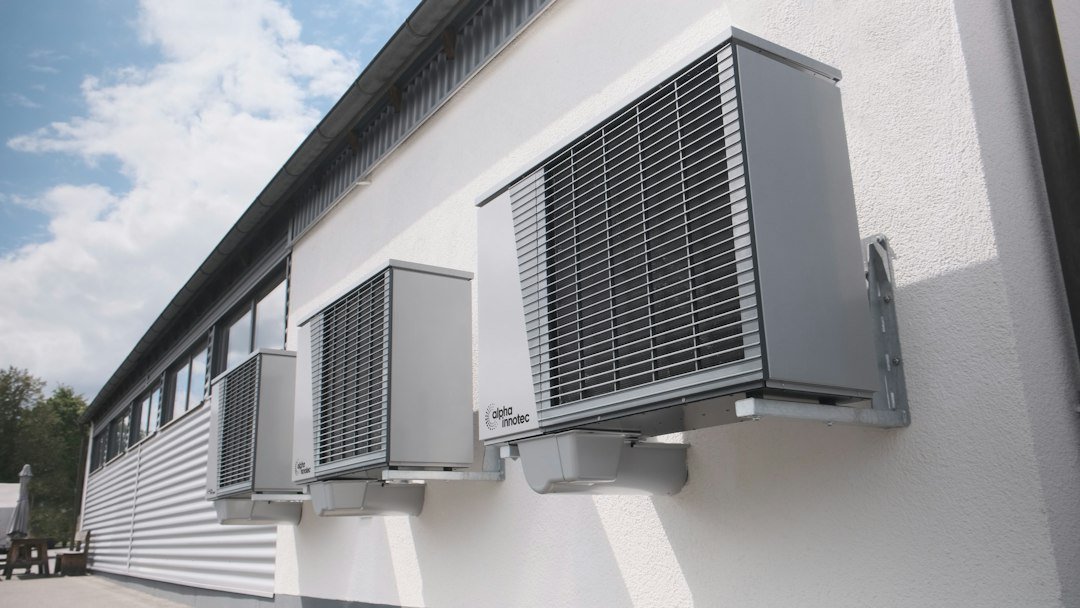
A Tampa HVAC website should separate repair requests, replacement consultations and maintenance information so customers understand the next step. For an HVAC owner buying website services, that means agreeing on the content, staffed contact hours and receiving team for each path. A request must not look like a confirmed appointment unless the operating system actually confirms one. One generic “Get started” button leaves those decisions unclear.
Use customer situations as the first navigation choices

Begin with the services the company actually provides. For example, use repair inquiries, replacement consultations and maintenance information as three clear choices. Those labels are easier to understand than internal department names. Have the service manager check the wording so that an attractive headline does not imply a capability the business does not offer.
Each path should answer its own first question. The repair route might explain the staffed hours and how a request is confirmed. The replacement route might explain the assessment process without quoting a system size or price before a professional review. If financing is offered, link to the approved provider information and state its conditions accurately. Website copy should not make approval sound automatic.
Make the handoff useful for the dispatcher
A short request can include the service category, area, preferred contact method and a description in the customer’s own words. Avoid asking a homeowner to diagnose a technical fault. A person who does not know the equipment model should still be able to contact you. Required fields should reflect what the office genuinely needs for the next conversation.
Send the selected category with the inquiry so staff do not have to infer it from the page title. Give the visitor a confirmation that matches the route: a replacement consultation request is not a confirmed repair booking. Keep a visible phone alternative for people who cannot complete the form. Check the telephone link and form labels with a real mobile device before promoting the page.
Review the paths as demand changes

Use previous inquiries and your own operational calendar to plan updates for cooling, maintenance and replacement work. Do not assume that every Florida business has the same seasonal pattern. A small team may need to change an availability notice more often than its main service description.
Compare which pages generate accepted inquiries and which merely receive visits. If replacement requests reach the wrong inbox, that is a routing issue to fix now. If impressions are growing but visitors cannot find the maintenance details, improve that path before publishing another near-identical page. A useful website earns its place in the workflow by reducing confusion for customers and staff.
Practical checklist
- Name the three inquiry paths in plain language.
- State actual staffed hours and confirmation steps.
- Track repair, replacement and maintenance requests separately.
RenForge Studio builds website systems and supports SEO for roofing, HVAC, construction, real estate and service businesses. Explore our services or tell us about your website. For a related guide, read the Tampa HVAC seasonal SEO planning guide.
For a related application, explore the Brandon HVAC membership inquiry study. These planning examples explain proposed decisions and do not report completed client results.
Approve the explanation behind each HVAC action
A repair request, replacement estimate and maintenance inquiry should lead to an explanation the office can support. Confirm which details the team needs at first contact and when a price or appointment requires review. Keep those rules visible before the visitor submits.
The HVAC service-call pricing content guide develops the distinction between a visit and additional work. Use it when approving the copy beside the repair and estimate actions.
Specify the HVAC website as a working service system
For an HVAC owner buying a website, the key requirement is a clear path from the customer’s situation to the team that can respond. Repair, replacement and maintenance need different explanations. They can share reusable page controls while keeping their promises, forms and routing accurate.
| Path | Before and after contact |
|---|---|
| Repair | Explain before contact: Actual contact hours, coverage and how the office evaluates a request. Confirm after the request: Receipt and next contact step; do not imply an appointment is booked. |
| Replacement | Explain before contact: Assessment process, useful preparation and what the consultation covers. Confirm after the request: Who will discuss the property and arrange the assessment. |
| Maintenance | Explain before contact: Covered equipment, visit arrangements and the terms of any plan offered. Confirm after the request: Whether the person requested information or actually enrolled. |
Write the content brief before selecting a feature list
Ask the service manager to supply the actual service boundaries, staffed hours and escalation procedure. Ask the office which details make a request easier to handle. Then identify which questions belong on the page and which need a conversation. The website should reduce uncertainty without pretending to diagnose equipment from a short message.
For Tampa Bay coverage, describe the real operating arrangement. If a business serves Tampa, Brandon and Riverview under different scheduling conditions, explain the relevant limits. If the arrangement is the same, one clear coverage explanation may be more useful than repeated city pages. Do not describe a dispatch branch that does not exist.
Keep credentials and warranties factual. Use permissioned photos of the business’s actual work where available, with captions explaining what is shown. A stock photograph can support an educational explanation, but it cannot establish that a particular installation was completed by the company.
Make the forms collect enough information to act
Start with contact details, a service category, an area and a short description. Require a field only when the office needs it for the next step. Give people a way to proceed when they do not know the equipment model or technical name. Clear labels and useful validation are more valuable than a long diagnostic questionnaire.
State what submission means. A request for a visit is different from a confirmed time slot, and an estimate request is different from an approved price. Keep the phone alternative visible. If the business cannot monitor messages continuously, do not imply instant dispatch.
Route the selected service category with the request and preserve the source page where the approved system supports it. Confirm the receiving record, notification recipient and fallback procedure. The HVAC booking, CRM and handover review explains the operating questions behind a platform choice.
Agree on ownership, acceptance and ongoing measurement
Test an ordinary request and a failure path
During an approved internal check, submit each inquiry type with non-customer test details. Verify what the visitor sees, what the receiving system stores and which staff member is alerted. Check a missing required field, an invalid email format and a message sent outside staffed hours. Do not stop at a successful-looking animation.
Record what happens if email delivery fails or a connected service becomes unavailable. A provider should explain which party owns the form, CRM and mail-delivery settings. Use the form notification delivery guide to distinguish a stored submission from an email notification.
Choose a CMS the team can actually operate
Have the responsible staff member update an availability notice, service description and photo caption during handover. Check that the changes remain readable on mobile. List hosting, software, backups, renewals and the person authorized to make changes. A technically capable platform still needs a practical owner.
For the wider choice, compare WordPress and Webflow for a service-business website. The decision should reflect editing tasks and integrations, not a promise that one platform automatically ranks better.
Measure the path, not just the page view
Review relevant Search Console queries and pages for a complete period, then compare measured visits with delivered requests and staff qualification. Keep repair, replacement and maintenance separate when those categories are recorded reliably. A telephone tap does not prove a connected call, and a form start does not prove that the office received a message.
If a service page receives impressions but few clicks, review the actual queries and its search preview. If requests reach the wrong team, fix routing. If visitors ask the same question repeatedly, improve that explanation. Each observation calls for a different action; publishing another general HVAC post is not always the answer.
Send RenForge your HVAC website, service categories and current inquiry workflow to discuss a defined review. We can establish the missing information and scope before recommending a build or integration.
Sources and photo credits
Further reading used to inform the approach:
Photographs: Featured image by alpha innotec; Section image 1 by Štefan Štefančík; Section image 2 by Khanh Do; Section image 3 by NordWood Themes. Images sourced from Unsplash under the Unsplash License. Stock photographs are illustrative; they do not depict verified RenForge projects or confirmed local properties.